
HomeWhy CloudBridge · 01 of 05
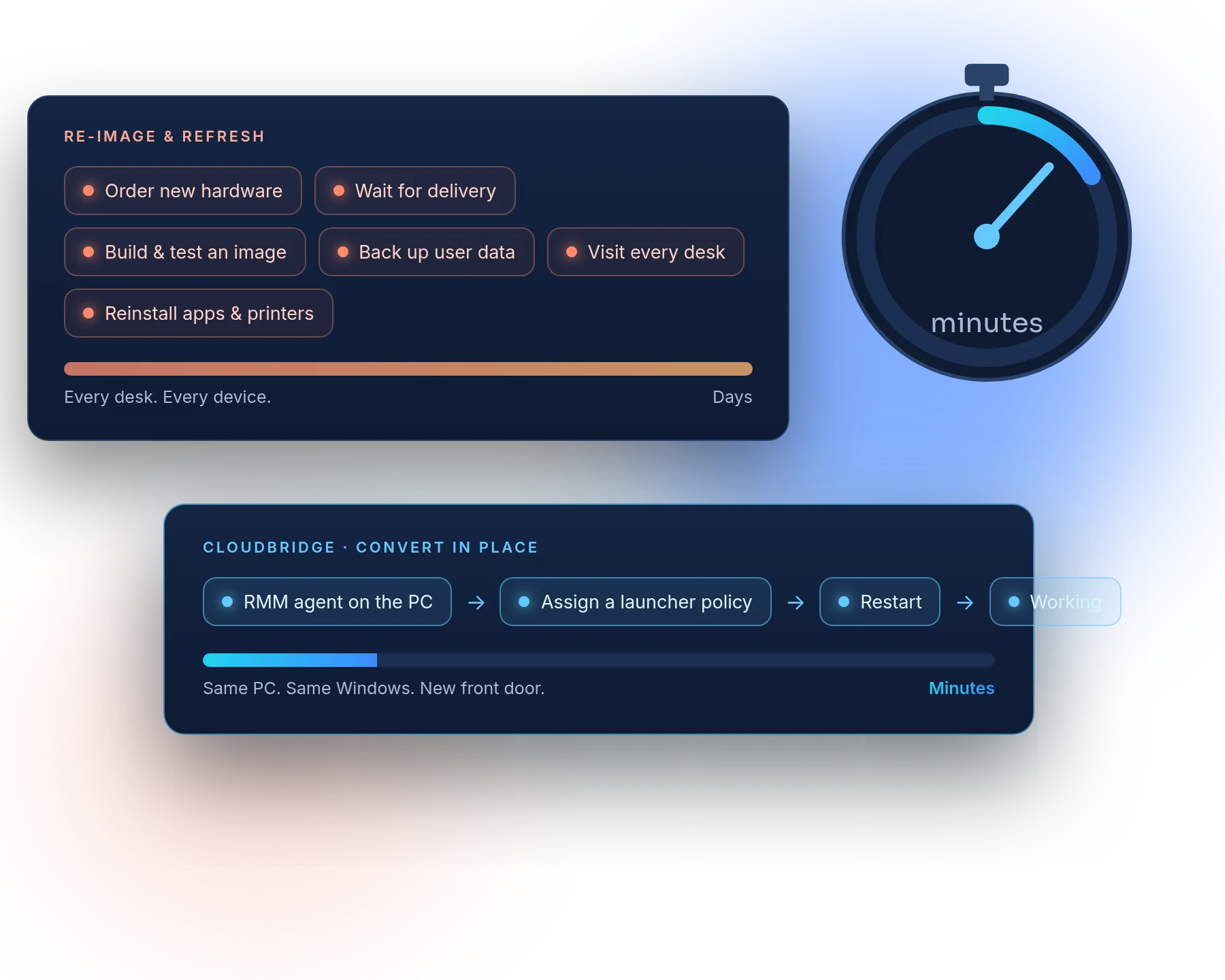
Deploy in minutes.
Not days.
SecureClient converts the Windows PCs you already own in place. No re-imaging, no hardware refresh, no desk-by-desk rebuild—just a secure, locked-down front door to the work, assigned from CloudBridge RMM.
- No re-imaging
- No hardware to order
- Assigned by device group
Why speed matters
Every day a rollout takes
is a day it costs.
A traditional desktop project has a long tail: hardware to order, images to build, data to move and a visit to every desk. Converting in place skips most of that list, so the project gets smaller, cheaper and easier to schedule.
- 01
No waiting on hardware.
There’s nothing to order, ship, unbox or stage. The PC already on the desk is the device you deploy to.
- 02
No image to build.
Keep the Windows installation, drivers and approved local apps that already work. SecureClient changes the workspace in place instead of wiping the drive.
- 03
No desk-by-desk rebuild.
CloudBridge RMM deploys to your workstations, and IT assigns the SecureClient launcher policy to a device group from CloudBridge Client Manager.
- 04
Less disruption for people.
Same desk, same PC. After a restart, people land in a workspace built around their job instead of a general-purpose desktop.
- 05
Roll out in waves.
Start with one PC, then one device group—front desk, contact center, training room—and expand when you’re confident.
- 06
Fast after day one, too.
Speed isn’t only about launch. Change a launcher policy once in the Manager and every PC in the group follows it.
Rebuild vs. convert
Two ways to get
the same locked-down PC.
Both paths end with a focused, managed workstation. Only one of them starts with a purchase order and a re-imaging plan.
The long way around
- Order and receive new hardware—or schedule every PC for a rebuild.
- Build, test and maintain a new image.
- Back up user data and settings.
- Visit each desk to swap or rebuild the device.
- Reinstall local apps, re-add printers and peripherals.
- Retrain people on what changed.
Every step multiplies by the number of desks.
The direct route
- CloudBridge RMM is deployed to the workstation.
- IT builds the launcher: cloud desktops, web apps and approved local apps.
- Assign the policy to a device group in CloudBridge Client Manager.
- Restart. People open the workspace and get to work.
Same PC. Same Windows. A new front door.
The cost side of speed
Faster is
also cheaper.
Hardware and hands-on time are two of the biggest line items in most endpoint projects. Converting in place goes after both.
50 front-line PCs
Illustrative example- Replace with new thin clients (HP Pro t550 at $539.99 advertised each)
- $26,999.50 one-time
- CloudBridge RMM + SecureClient, first year at list (50 × $89)
- $4,450
- CloudBridge over three years at list (50 × $178)
- $8,900
Illustrative only, using the prices shown in How CloudBridge compares. Hardware prices change, and taxes, labor, existing licensing and your quote will differ. CloudBridge list pricing applies to 1–249 seats; volume tiers start at 250.
Savings people forget to count
- No e-waste from retiring PCs that still work.
- No second device type to inventory, patch and warranty.
- No shipping, staging or storage space for spare hardware.
- Technician hours go to projects instead of rebuilds.
Run your own numbers
Our savings estimator lets you plug in your device count, ticket volume, hourly cost and the tools you’d retire, then shows the net after CloudBridge’s first-year cost.
Questions IT asks
Straight answers
about getting started.
Do we need to re-image our PCs?
No. SecureClient runs on Windows and changes the workspace on existing compatible PCs, without replacing or re-imaging them.
How long will our rollout take?
It depends on how many PCs, how many device groups and which apps belong in each launcher. The conversion itself happens in place; the planning is about deciding what each group should see. A practical demo on one of your own devices is the fastest way to find out.
Which Windows versions are supported?
All currently supported Windows versions except Windows 11 Home. CloudBridge RMM deploys to Windows servers and workstations; SecureClient runs on workstations.
Do we need Microsoft Intune?
No. SecureClient doesn’t require Intune and isn’t built on it. It’s managed through CloudBridge RMM, whether or not you use Intune.
When can we start?
CloudBridge RMM and SecureClient are generally available January 1, 2027. Book a demo now to be ready on day one.
Make the next step practical
You have the device,
we have the solution.
$89 per device for the first year, renewing at $44.50. CloudBridge RMM with SecureClient included.